
Appearance
Admin – Workflows
Common end-to-end flows for processing requests quickly and consistently.
Verify & fulfill a request
- Open a row from the Request Queue.
- Review Summary and check Payment (if applicable).
- If info is missing, post a Public Reply describing exactly what’s needed.
- Upload the record(s) in Fulfill Request.
- Click Send Documents to Requester.
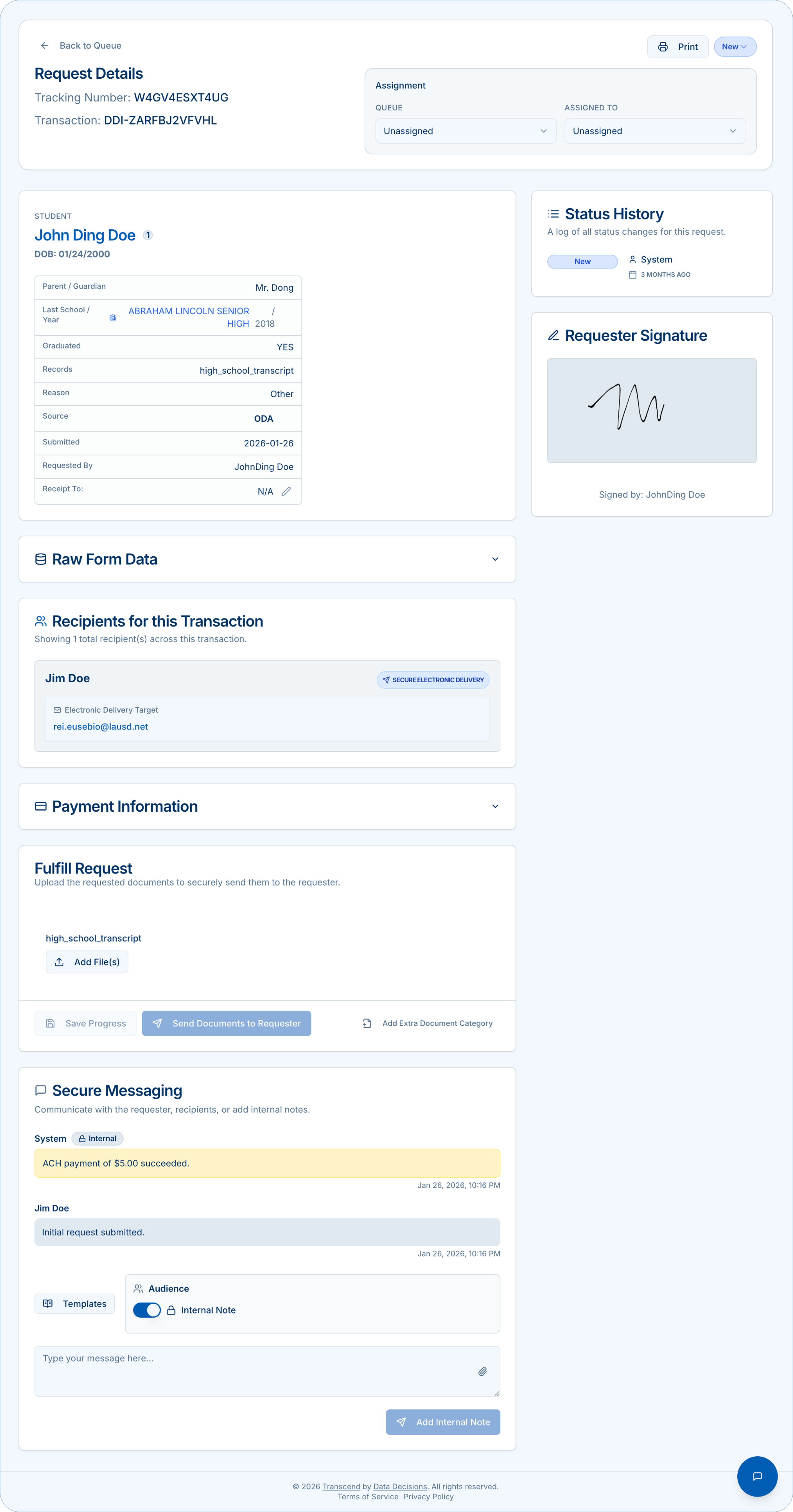
Details with Verified badge
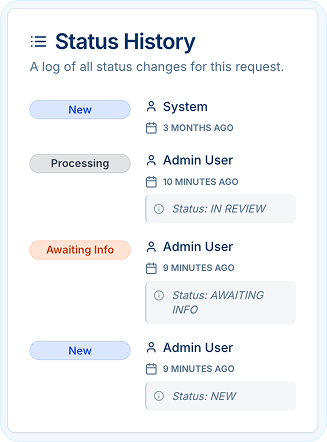
Update status & track history
Move requests
New → Processing → Awaiting Info → Fulfilled → Awaiting Info → Completed (or Awaiting Info / Rejected).
Status History
Displays who changed what and when.
Request additional information
- Public Reply to request school/recipient details or authorization.
- Optionally add an Internal Note with follow-up plan and deadline.
- If your policy requires it, note possible auto-cancel timing.